

ADP1872
量产采用同步电流模式、恒定导通时间的PWM降压控制器
- 产品模型
- 1
概述
- 输入电压范围:2.9V至20V
- 偏置电源电压范围:2.7V至 5.5V
- 输出电压可被设置到0.6V
- 1.0%精度,0.6V参考电压
- 支持所有N沟道MOSFET功率级
- 可提供300kHz、600kHz和1MHz三个版本
- 无需电流检测电阻
- 轻负载情况下可工作于省电模式
- 电阻可编程电流检测增益
- 热过载保护
- 输出过压和短路保护
- 欲了解更多特性,请参考数据手册
ADP1872是一款通用、廉价的电流模式同步降压控制器。它采用恒定导通时间、伪固定频率及可编程电流检测增益机制,具备出色的瞬态响应、较佳的稳定性和电流限制保护特性。还采用谷值电流模式控制架构,可实现以低占空比获得较佳的抖动性能。ADP1872可驱动所有N沟道功率级以便稳压低至0.6V的输出电压。
ADP1872非常适合于对成本敏感的多种应用。这款IC可工作在2.7V至5.5V电源,但输入功率可高达20V。
ADP1872包含三个版本ADP1872A、ADP1872B和ADP1872C,每个版本分别可编程至300kHz、600kHz和1MHz伪固定频率。
ADP1872包含一个内部固定软启动功能,以限制启动期间来自输入电源的输入冲击电流,以及在软启动时对预充电的输出实现反向电流保护。低端电流检测、电流增益机制和PSM /强制PWM选项可减少外部元件数量和提高效率。ADP1872工作在-40 ° C至+125 ° C的结温范围,采用10引脚MSOP封装。
应用
参考资料
数据手册 1
用户手册 1
应用笔记 1
ADI 始终高度重视提供符合最高质量和可靠性水平的产品。我们通过将质量和可靠性检查纳入产品和工艺设计的各个范围以及制造过程来实现这一目标。出货产品的“零缺陷”始终是我们的目标。查看我们的质量和可靠性计划和认证以了解更多信息。
| 产品型号 | 引脚/封装图-中文版 | 文档 | CAD 符号,脚注和 3D模型 |
|---|---|---|---|
| ADP1872ARMZ-0.6-R7 | 10-Lead MSOP |
| 产品型号 | 产品生命周期 | PCN |
|---|---|---|
|
1月 26, 2016 - 15_0176 Assembly Transfer of Select 8/10L MSOP Products to Amkor Philippines |
||
| ADP1872ARMZ-0.6-R7 | 量产 | |
|
5月 15, 2012 - 10_0006 Halogen Free Material Change for mini SOIC Products |
||
| ADP1872ARMZ-0.6-R7 | 量产 | |
这是最新版本的数据手册
软件资源
找不到您所需的软件或驱动?
申请驱动/软件工具及仿真模型
ADP187x Buck Designer Tool
Microsoft Excel download tool from ADIsimPower to generate a power supply design complete with a schematic, bill of materials, and performance specifications.
打开工具评估套件


ADP1872 评估板
资料
参考电路
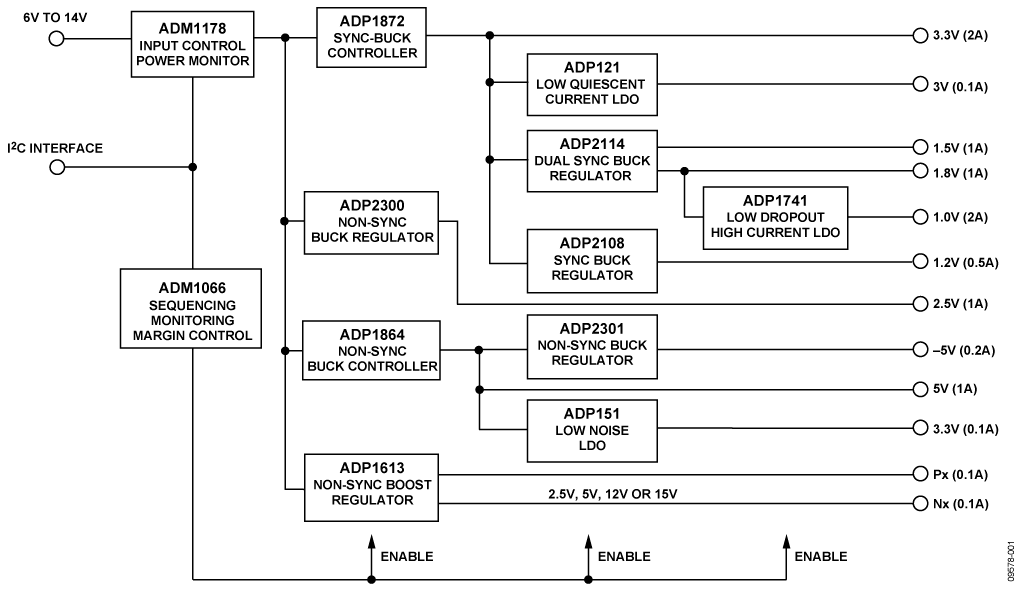
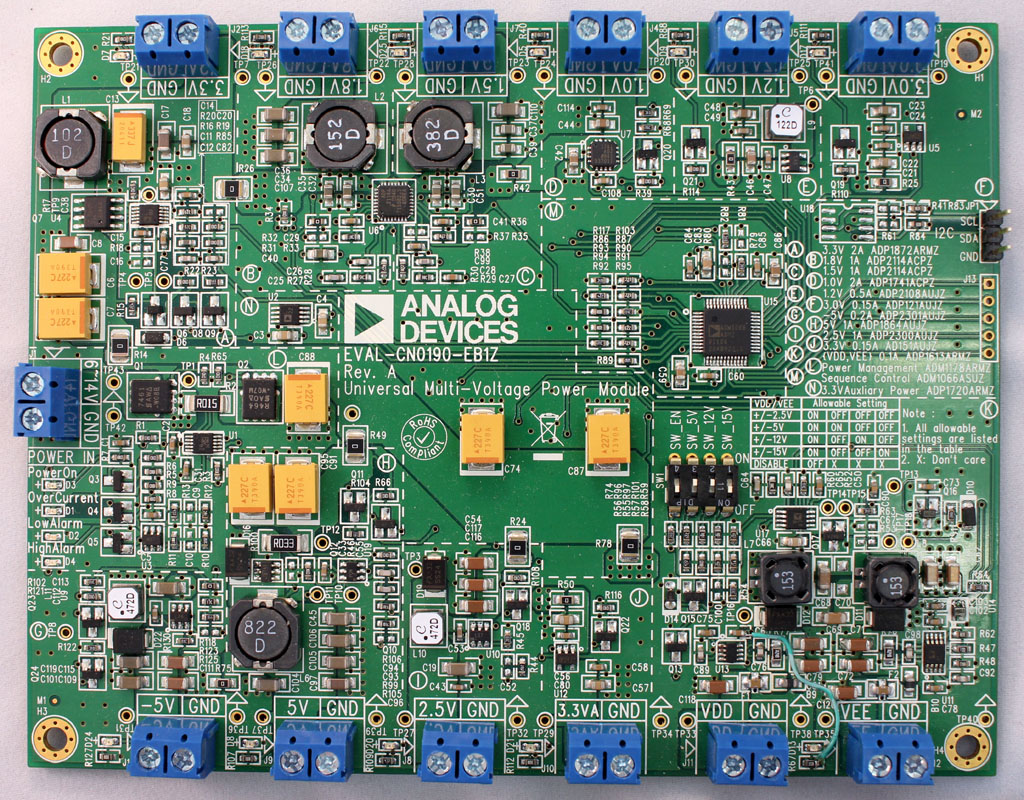
具有6 V至14 V输入且性能鲁棒的多电压、高效率、25 W通用电源模块
使用部分
设计和集成工具
最新评论
需要发起讨论吗? 没有关于 ADP1872的相关讨论?是否需要发起讨论?
在EngineerZone®上发起讨论