LTspice
Fast • Free • Unlimited
LTspice® is a powerful, fast, and free SPICE simulator software, schematic capture and waveform viewer with enhancements and models for improving the simulation of analog circuits. Its graphical schematic capture interface allows you to probe schematics and produce simulation results, which can be explored further through the built-in waveform viewer.
Learn how to use LTspice with our tutorials below or dive deeper with our selection of helpful tips and articles. You can also browse our library of macromodels and demo circuits for select Analog Devices products.
Get to simulation faster with Tools to Generate LTspice Schematics below.
LTspice’s enhancements and models improve the simulation of analog circuits when compared to other SPICE solutions. Download LTspice below to see for yourself!
Download LTspice
Download our LTspice simulation software for the following operating systems:
Date models updated - Oct 14 2026
Version 26.1.1
Version 26.0.2
Version 26.0.2
Download for Windows XP (End of Support)
Download for MacOS (17.2.4) (End of Support)
Download LTspice XVII for Windows (End of Support)
Learn How to Use LTspice
Instructional Videos

Learn the basics of using LTspice - creating a new schematic, running transient and AC simulations, and viewing results on the waveform viewer.

Learn how to use transformers, add third party models, create, work with symbols, and more.

Learn how to perform a basic AC analysis in LTspice as well as some capabilities you might not already know about. Also learn how to set up a noise simulation in LTspice to view both input and output referred voltage noise.
Tips and Articles

Learn how to use the most useful features in LTspice, whether starting with an example circuit, or drafting one from scratch.
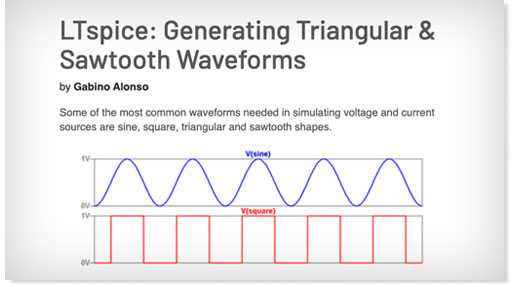
Our extensive collection of technical resources tackles a wide range of LTspice topics.

Keyboard shortcuts are an alternate way to invoke one or more commands in LTspice that would otherwise only be accessible by clicking through the menu or toolbar.
Tools to Generate LTspice Schematics
Get to simulation faster. These design tools export .asc files to create LTspice schematics.
Signal Chain Designer

Signal Chain Designer is a web-based platform for building and simulating sophisticated precision signal chains. It lets you evaluate your circuit’s behavior and examine transfer functions, noise performance, power consumption, input ranges, and DC errors. Experiment with different components and architectures and export your signal chain to LTspice to further verify your design.
Analog Filter Wizard

The Analog Filter Wizard enables rapid design of low‑pass, high‑pass, and band‑pass active filters using real op‑amp models. Throughout the design flow, you can examine how the filter’s response transitions from ideal mathematical behavior to the performance dictated by actual device parameters and circuit‑level non‑idealities. The tool allows detailed evaluation of op‑amp trade‑offs—including gain‑bandwidth product, input‑referred noise, output swing limitations, and supply current—to identify components that meet your target specifications. When additional verification or transient analysis is required, the complete filter implementation can be exported directly to LTspice for further simulation.
Analog Photodiode Wizard

The Photodiode Wizard provides a structured workflow for designing transimpedance amplifier (TIA) circuits for photodiode interfaces. You can select a photodiode from the built‑in device library or enter custom photodiode parameters such as junction capacitance, dark current, and responsivity. The tool enables rapid evaluation of key performance trade‑offs—including closed‑loop bandwidth, peaking (Q‑factor), and effective resolution metrics such as ENOB and SNR. Adjust TIA component values and immediately observe their impact through detailed plots of pulse response, frequency response, and noise‑gain characteristics. For comprehensive design validation, the complete TIA implementation can be exported directly to LTspice for further simulation and analysis.
Precision ADC Driver Tool

The Precision ADC Driver Tool enables detailed simulation of precision ADC‑and‑driver signal chains. It identifies potential issues related to amplifier selection, input‑kickback settling, and distortion mechanisms, allowing rapid evaluation of architectural and component‑level trade‑offs. The tool computes and simulates key performance metrics—including system‑level noise, harmonic distortion, and time‑domain settling behavior at the ADC input—based on actual device parameters. When additional verification or transient analysis is required, the complete driver‑ADC configuration can be exported directly to LTspice for further simulation.
LTpowerCAD

The LTpowerCAD® tool guides users throughout the supply design process, suggesting suitable parts to meet the user’s requirements according to the design’s power supply specifications. The tool shows real-time results of the feedback loop Bode plot, as well as the power stage performance, and can export the design to LTspice for full simulation and design verification.