


概览
设计资源
描述
MAXREFDES1043专为基于Maxim新一代生物传感器MAX30102进行SpO2测量而设计。MAXREFDES1043是一款高精度、低功耗、小尺寸设计,可使用红光和红外LED轻松监测SpO2水平。MAX30102是一款集成式脉搏血氧仪和心率监测模块。它由内部LED、光电探测器、光学元件和低噪声电子器件组成,支持环境光抑制。MAX30102提供完整的系统解决方案,旨在简化移动和可穿戴设备的设计流程。它采用1.8V单电源供电,采用独立的3.3V电源为内部LED供电。通过标准的I2C兼容接口进行通信。该模块可以通过软件关断,待机电流为零,使电源轨始终保持通电状态。优势和特点
- 集成式解决方案
- 小尺寸
- 低功耗
- 高精度
所用产品
详情
The MAXREFDES1043 is designed for SpO2 measurements based on Analog Devices' new-generation biosensor—the MAX30102. The MAXREFDES1043 is a high-accuracy, low-power, small-size, and easily implemented design that can monitor SpO2 levels using red and IR LEDs. The MAX30102 is an integrated pulse oximetry and heart-rate monitor module. It includes internal LEDs, photodetectors, optical elements, and low-noise electronics with ambient light rejection. The MAX30102 provides a complete system solution to ease the design-in process for mobile and wearable devices. It operates on a single 1.8V power supply and a separate 3.3V power supply for the internal LEDs. Communication is through a standard I2C-compatible interface. The module can be shut down through software with zero standby current, allowing the power rails to remain powered at all time.
Main features and benefits:
- Integrated solution
- Small size
- Low power
- High accuracy
Table 1 provides an overview of the design specification.
| Parameter | Symbol | Min | Max |
| Battery Voltage | VBAT | 3.1V | 5V |
| USB Input Voltage | VUSB | 5V | |
| Standby Current | ISTANDBY | 200μA | |
| Average Operation | IOPERATION | 2mA | |
| Pulse Width | INT | 69µs | 411µs |
| ADC Resolution | 15 | 18 bits | |
| Sample rate | SR | 50 | 1000 |
| LED Current | ILED | 0 | 50mA |
| Temperature Range | TOPERATION | – | 85°C |
This document describes the hardware shown in Figure 1. It provides a detailed systematic technical guide to design in a small, low-power, high-accuracy SpO2 monitor. The design has been built and tested, details of which follow later in this document.


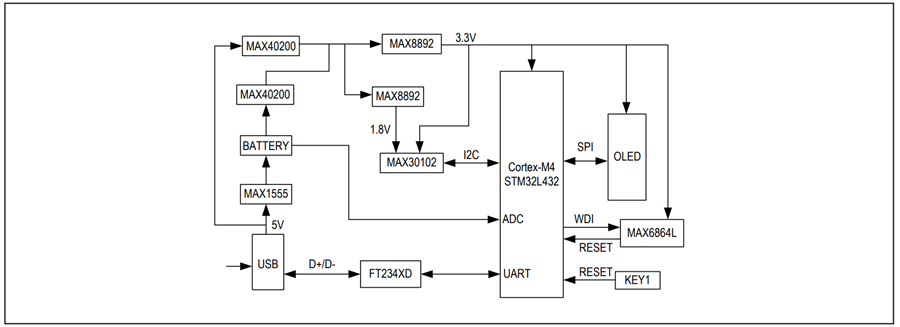
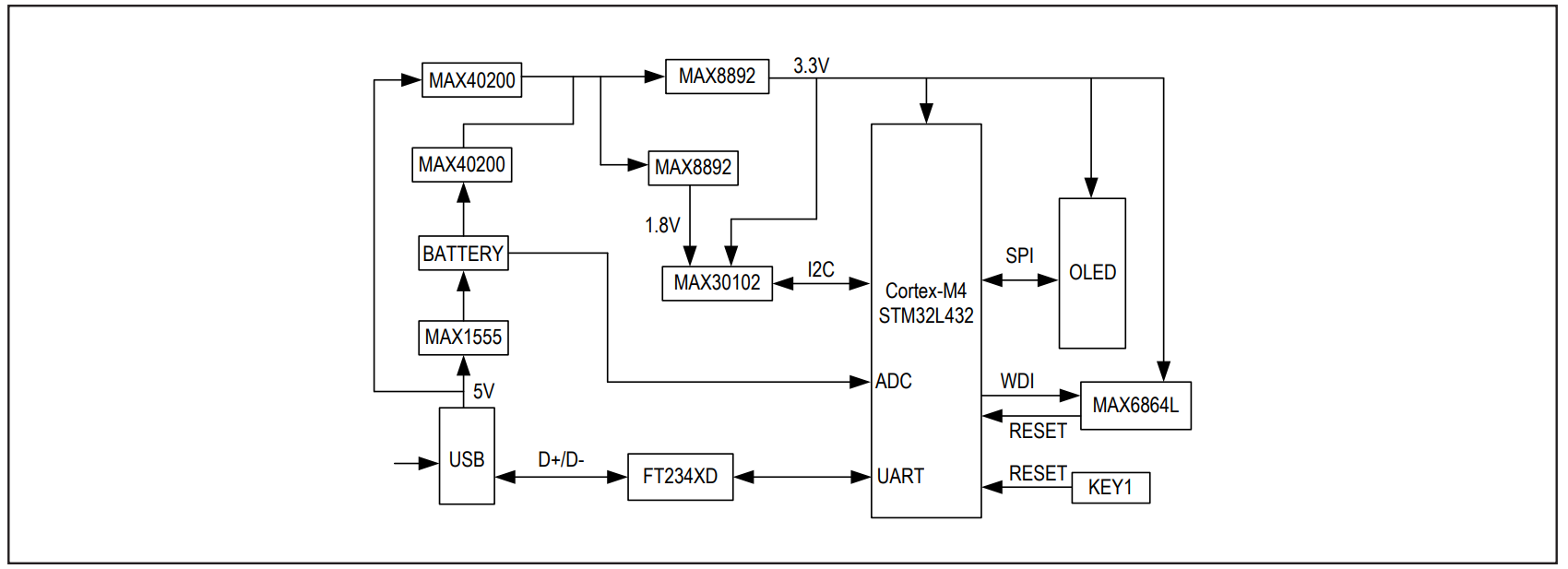
The reference design block diagram (Figure 2) demonstrates how the MAXREFDES1043 works. When a finger is placed on the MAX30102 sensor window, the sensor captures and measures the SpO2 levels and shows the results on the OLED screen. The design includes source files for the microcontroller to enable developers to quickly evaluate and customize the design for their specific applications with minimal firmware or hardware changes. The board is designed in a compact form factor for rapid evaluation or installation.
These wearable devices should have the following important characteristics and features:
- Small size—They should be designed as small as a normal watch, wrist belt, or similar device. And as designers try to incorporate more functions into the devices, the size of the device’s individual components becomes ever more important—for the number of components that can fit on a device directly determines the number of functions that the device can feature.
- Low power—They use batteries for the system power supply. Because of the limited size and energy density of the battery, low power means longer use time. The wearable devices often have two working modes: standby mode and operation mode. Most devices are in standby mode more than 90% of the time, so the standby current is important. For a 100mAh battery, if the standby current can be limited within 1mA and operation current is 10mA, the system can work for approximately 92 hours.
- Accuracy—The devices are always requiring higher and higher accuracy. The market only accepts the more accurate devices.
Microcontroller
The MAXREFDES1043 uses the STM32L432KC as its microcontroller unit (MCU). This chip is popular, especially in the low-power-application market, where it is used in wearable applications. Because the ARM Cortex®-M4 is small, uses low power, and has a lot of memory, it is able to perform to our requirements.
Optical Sensor
The MAX30102 is a highly integrated total solution for biosensors. It integrates two LEDs (red and IR), photodiodes, analog-to-digital converter (ADC), a noise-cancellation circuit, temperature sensor, filter, I2C, and LED drive. Its shutdown current is 0.7µA (typical). The MAX30102’s higher accuracy allows it to be suitable for wearable applications, like SpO2 and HR measurements for wrists, finger, ears, etc.
Power Supply
The battery must not be larger than the size of the board. A 90mAh-to-120mAh Li+ battery is chosen. Usually the charge rate is 1C, which means the charge current will have a maximum of 90mA to 120mA. We chose the MAX1555, which has a charge current of 90mA.
We also chose to incorporate two MAX8892 high-PSRR, low-dropout, 150mA linear regulators with outputs of 3.3V and 1.8V. The MAX8892 achieves a low 60mV dropout for a load current of 50mA. The regulator is designed and optimized to work with low-value, low-cost ceramic capacitors and requires only 1µF (typical) of output capacitance for stability with any load. When disabled, current consumption drops to below 1µA.
The MAXREFDES1043 can be supplied by both battery and USB. When the USB is present, the battery is charged and LED D1 is on. When the USB is not present, the battery supplies the system. The external reset IC monitors the input power supply voltage of MCU. Push button S1 can manually reset the MCU.
The design also includes two MAX40200s. The MAX40200 is an ideal diode current-switch that drops so little voltage that it is close to an order of magnitude better than Schottky diodes. When forward-biased and enabled, the MAX40200 conducts with as little as 85mV of voltage drop while carrying currents as high as 1A. The typical voltage drop is 43mV at 500mA, with the voltage drop increasing linearly at higher currents. The MAX40200 thermally protects itself and any downstream circuitry from overtemperature conditions.
The MAX1555 charges a single-cell lithium-ion (Li+) battery from both USB and AC adapter sources. It operates with no external FET or diode and accepts operating input voltages up to 7V.
The MAX6864UK31D3L+ is a nanopower µP supervisory circuit with manual reset and watchdog timer.
The design also contains the FT234 USB-UART interface chip from Future Technology and the STM32L432KC low-power microcontroller from STMicroelectronics®.
Standby Mode and Operation Mode
MAXREFDES1043 works in two modes: standby mode and operation mode. When there is no finger put on the optical sensor, it works in standby mode. Once a finger is put on the sensor, however, it goes into operation mode. The total current in standby mode is approximately 370µA.
Program Download Interface
The two ways to download new programs into the MCU are as follows: ST-Link and a Micro-USB interface. The J4 header is reserved for ST-Link, which is a device from STMicroelectronics. To use the Micro-USB interface, pull up pin 31 BOOT0/PH3 then restart the MCU by pushing button S1. The STM32 then runs into bootloader mode. Connect the Micro-USB U8 to the computer and use the software “STMFlashLoader Demo.exe” to download a bin file program into the MCU. The software can be found at https://www.st.com/content/st_com/zh/ products/development-tools/software-developmenttools/stm32-software-development-tools/stm32- programmers/flasher-stm32.html.
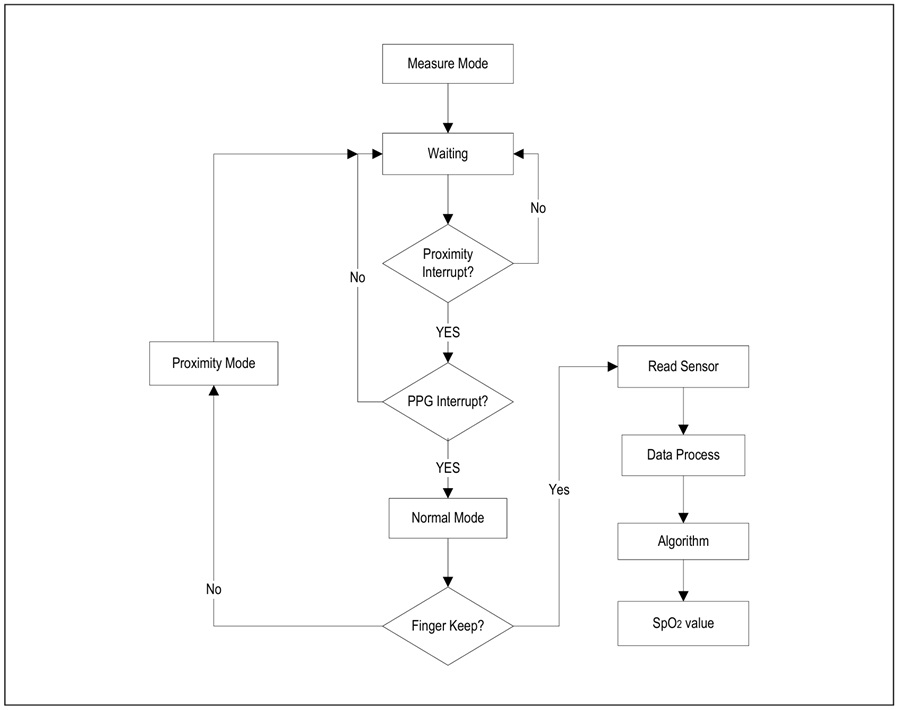
Main Loop
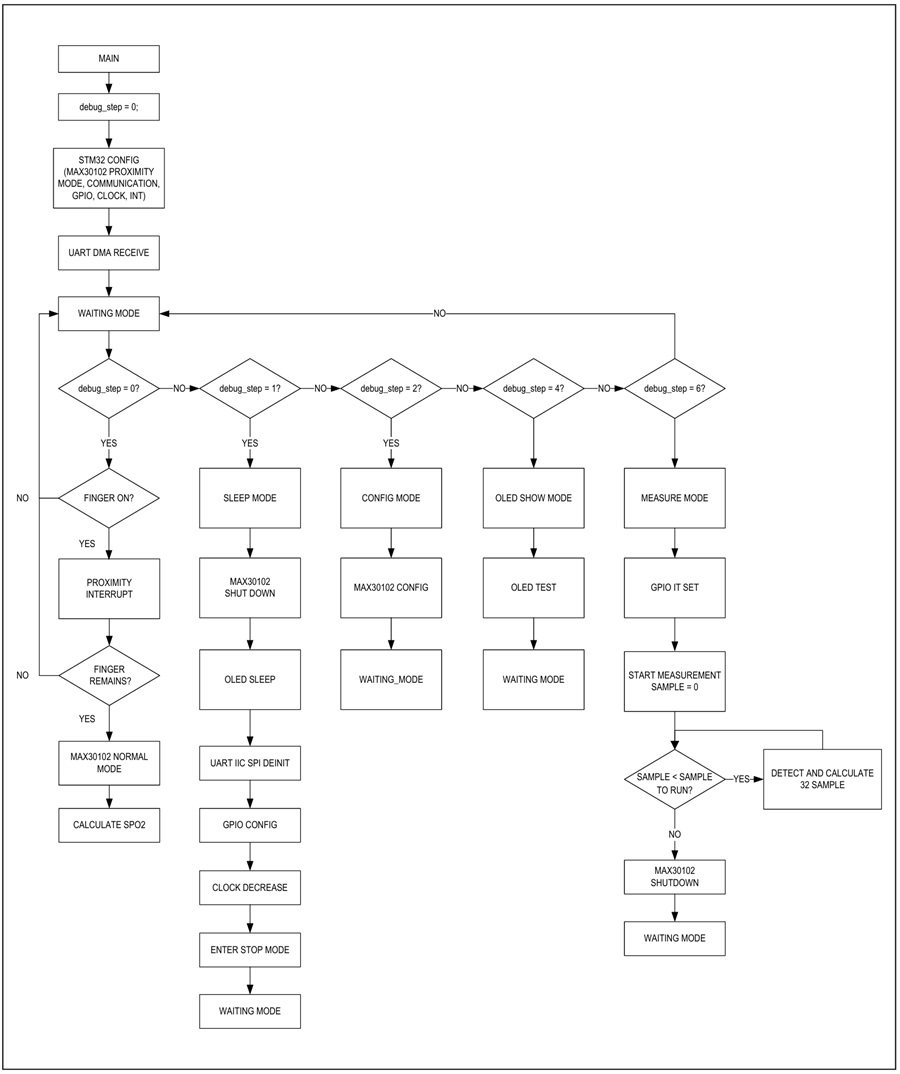
The MAXREFDES1043 firmware is based on an infinite- loop design model. After power-up, the MCU configures itself, the MAX30102, the communication function, and the active the UART_DMA_RECEIVE; it then goes into an infinite loop with “debug_step == Waiting_Mode,” waiting for a command from UART. The user can use the GUI to configure MAX30102 parameters according to UART commands, like LED current, sample rate, and pulse width. If there is no UART command, the system goes into proximity mode to detect whether a finger is on the sensor.
The commands include the following:
- Sleep_Mode for standby by test.
- Config_Mode for configuration of MAX30102.
- OLED_Show_Mode for OLED display test.
- Measure_Mode for measurement and calculation of SpO2 value
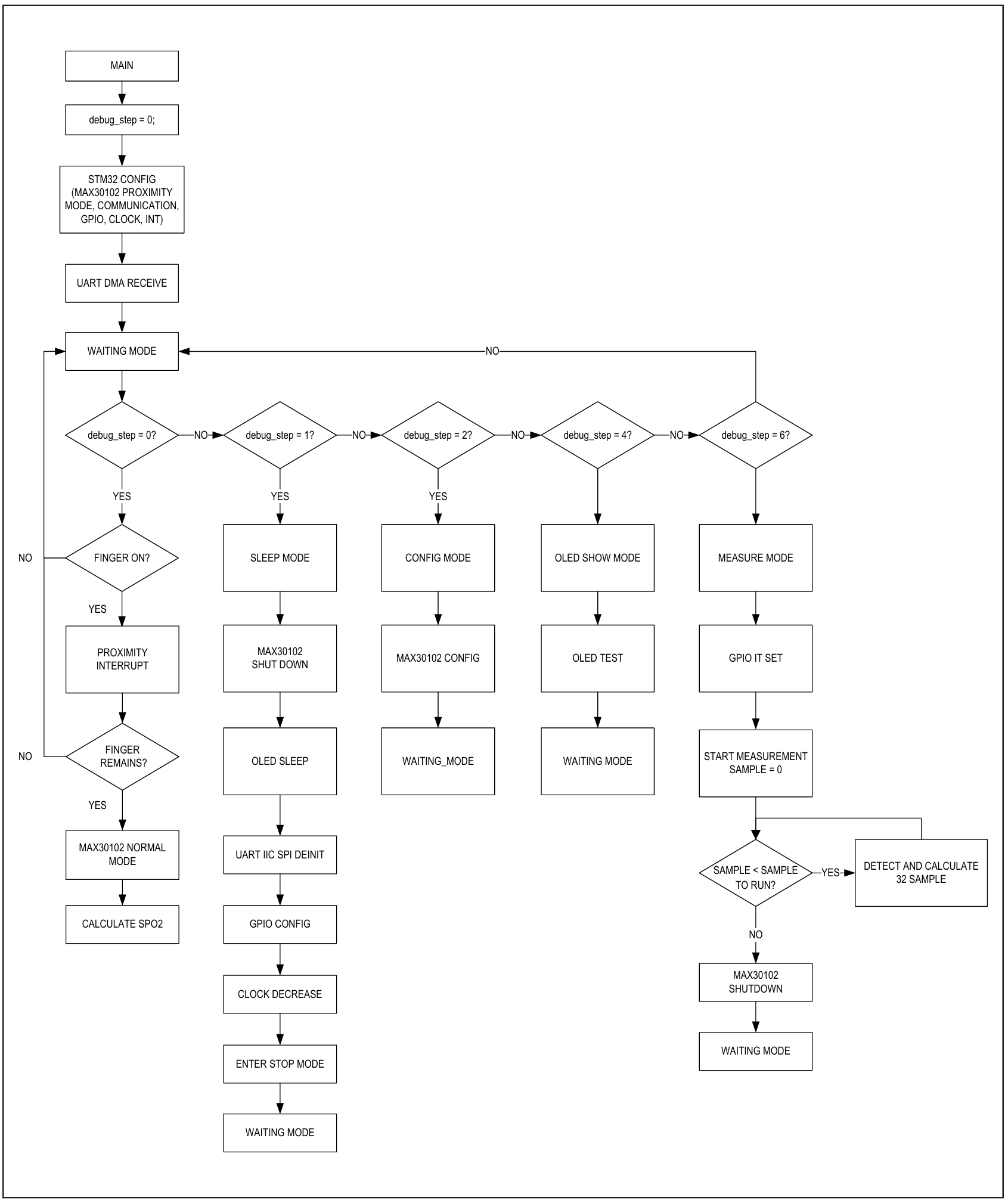
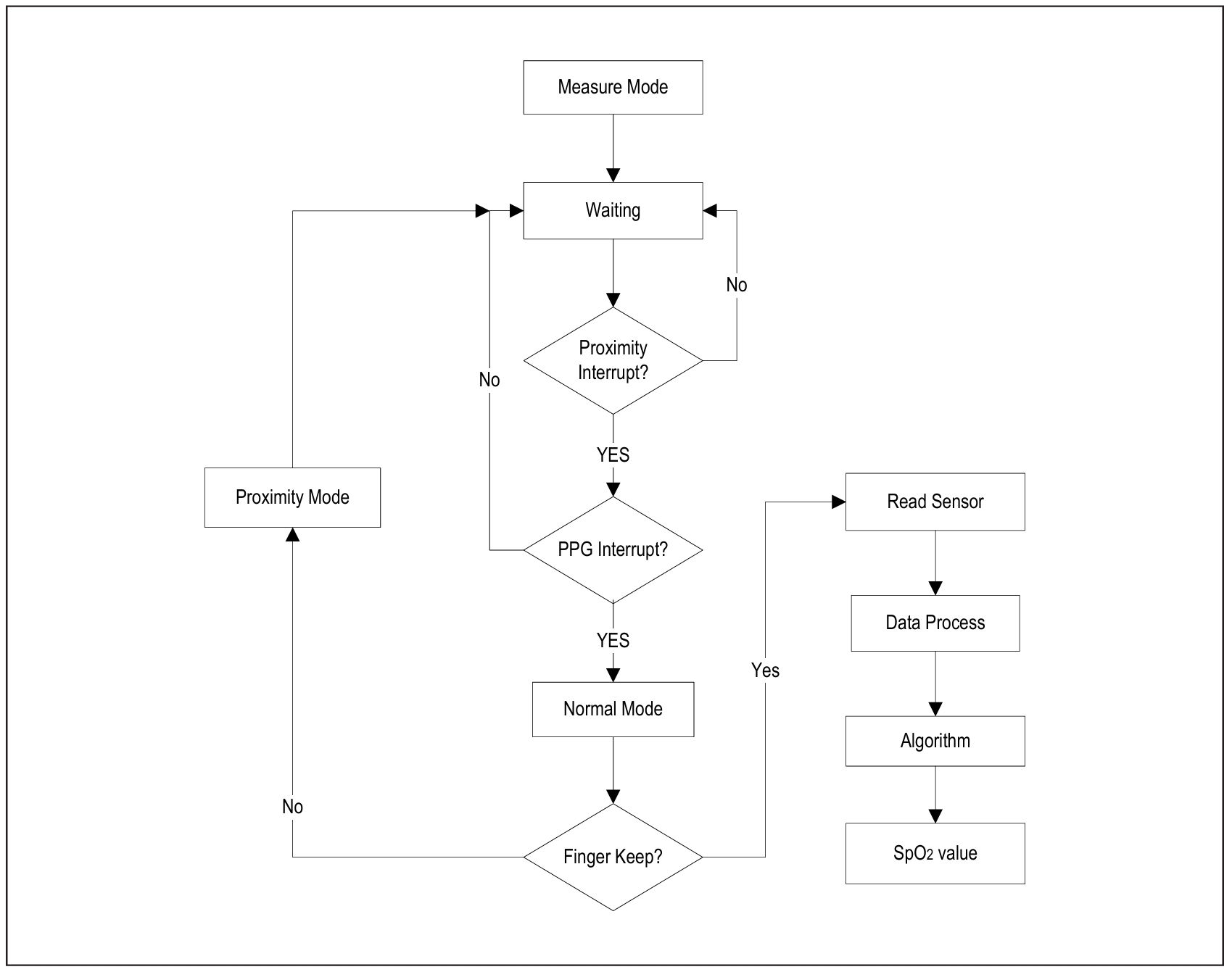
Figure 4 is a chart describing the flow of the main function.
MAX30102 Configuration and Measurement
The MAX30102 integrates two LEDs (red and IR), a photodiode, and analog front end (AFE), helping transfer optical information directly to 15-bit to 18-bit digital current data. The complete command sequence for SpO2 mode is shown in Figure 5.
Low Power Configuration
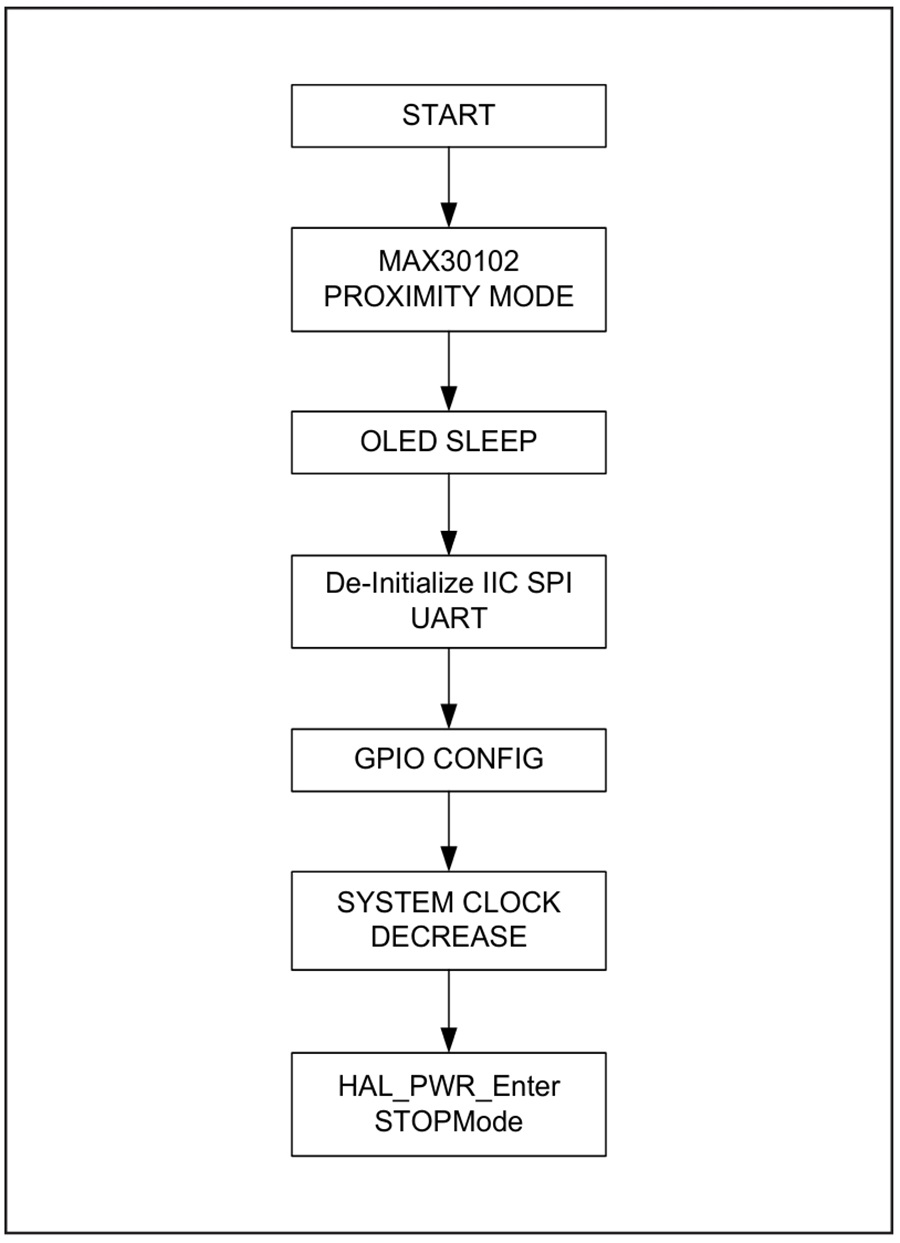
Low power configuration focuses on the current during standby mode. To have low power in standby mode, we must configure each component independently to be lowest status.
Microcontroller
Because the microcontroller consumes a large percentage of system power, especially if the chip is working in high MHz frequency, the operation frequency should be decreased to 100kHz before the MCU sleeps. Note that when the frequency drops, the MCU slows down dramatically, so decreasing the frequency must be the last step before the system goes to sleep.
The GPIO configuration is also important. The GPIO should be configured as Analog Input mode. I2C, UART, and SPI should be de-initialized. The unused function should be disabled.
MAX30102
The MAX30102 should be configured as low-power proximity mode. In this mode, its current is 0.2mA.
OLED
Choosing an OLED that has a programmable shutdown can help save power. The MAXREFDES1043 uses Futureway Technology’s VG-2832 display module, which that can be shut down by code. Its shutdown current is 10µA.
Power Supply
The unused power rail can also be stopped in standby mode. The 1.8V power rail in the MAXREFDES1043 can be stopped by pulling down the SHDN pin of MAX8892 U12. This can help save 50µA in standby mode.
The FT234 USB-UART interface chip from Future Technology is active only when USB is present—it never works in standby mode. So, the FT234 is supplied only by USB, helping it save significant power in standby mode.
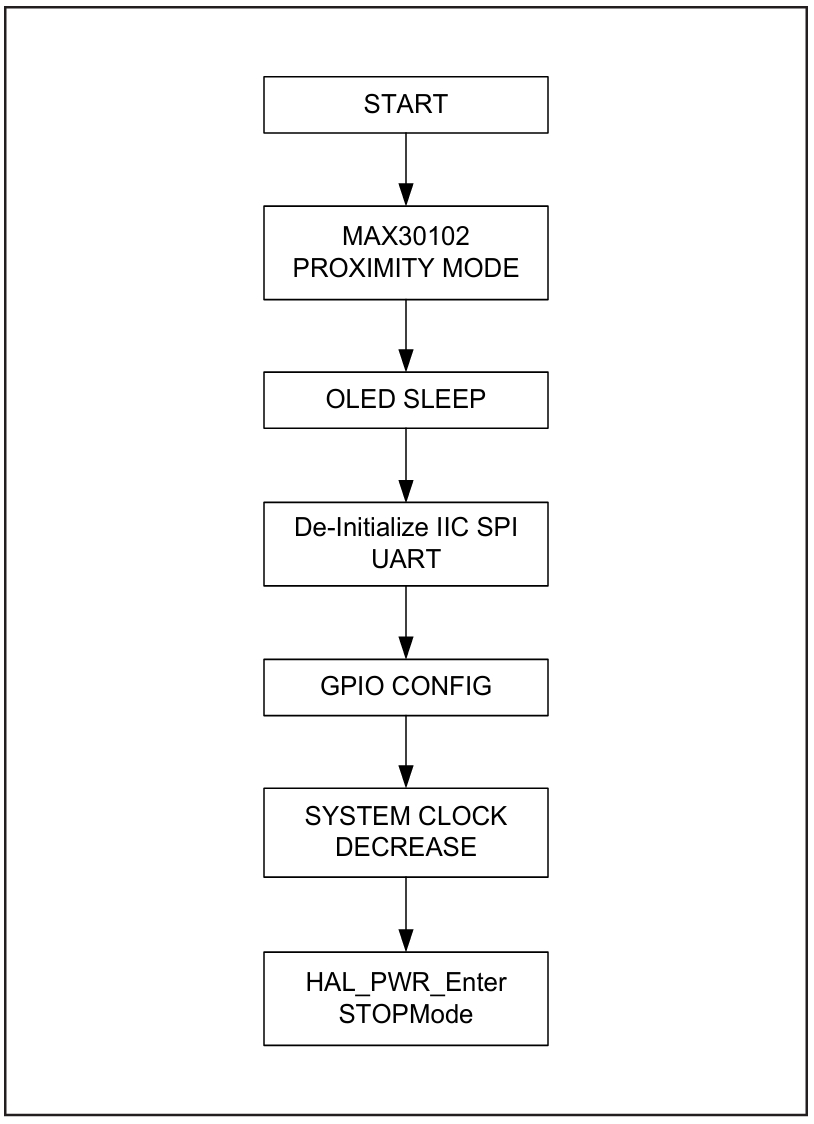
The standby mode entry flow chart is as shown in the Figure 6.
The GUI is based on Windows®, shown in the Figure 7.
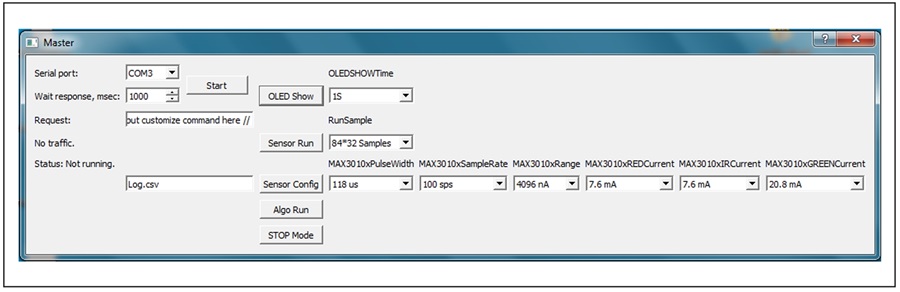
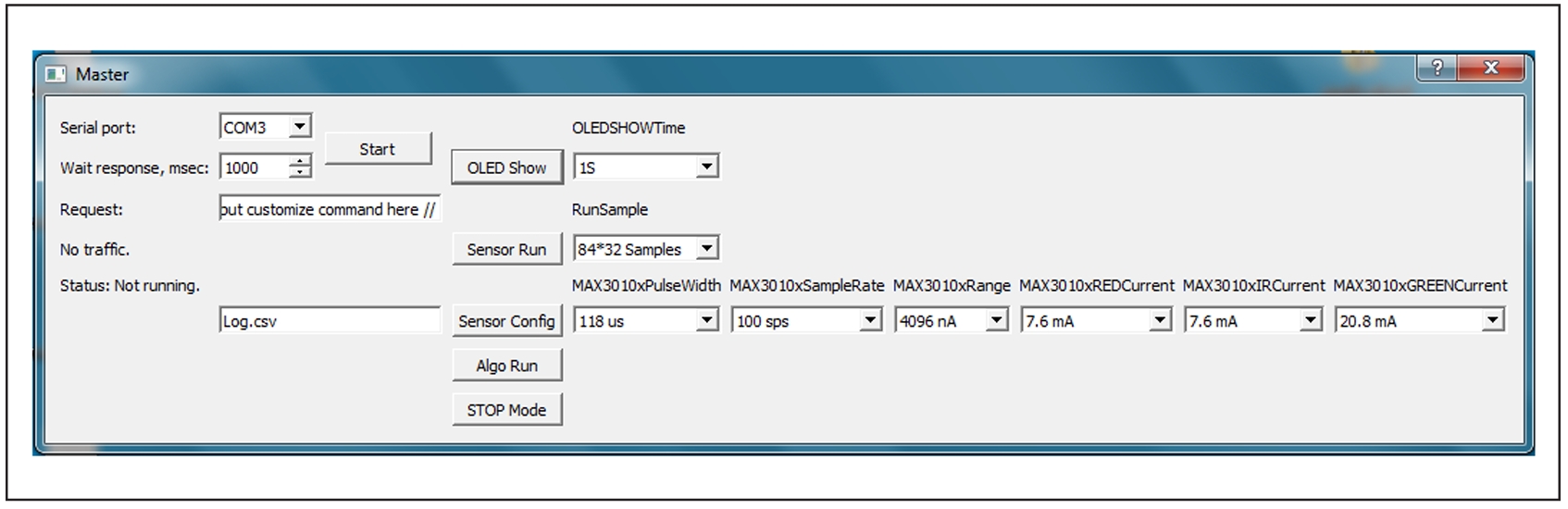
The following describes the process for using the MAXREFDES1043 graphical user interface (GUI).
- MAXREFDES1043 board waits for the GUI’s command through UART.
- Click “OLED Show” for OLED show test. Click “Sensor Config” to set MAX30102 parameters.
- Click “Sensor Run” to start measurement. (“Sensor Config” must be done before “Sensor Run.”)
- The board transfers data back to the GUI through UART.
- The GUI saves the data in .csv format.
- Change the file name by typing on the edit line object of the filename.
Cortex is a registered trademark of Arm Limited.
Windows is a registered trademark and registered service mark of Microsoft Corporation.
STMicroelectronics is a registered trademark of STMicroelectronics, Inc.
文件和资源
-
MAXREFDES1043 Design Files2021/5/19ZIP9 M
-
MAXREFDES1043: How to Monitor SpO2 Levels Using the MAX301022021/5/19PDF478 K
支持与培训
搜索我们的知识库,获取技术问题答案。我们专门的应用工程师团队也会随时为您解答技术问题。