
DC2610A


Overview
Product Details
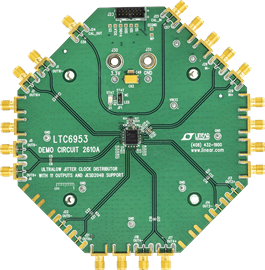
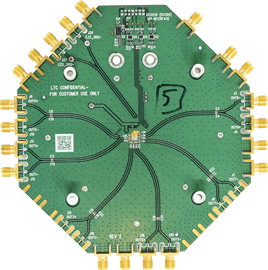
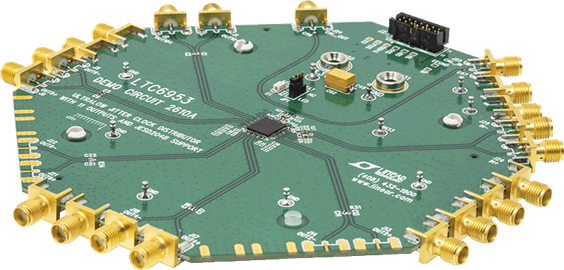
Demonstration circuit 2610A features the LTC6953, an Ultralow Jitter, 4.5GHz Clock Distributor with 11 Outputs and JESD204B Support.
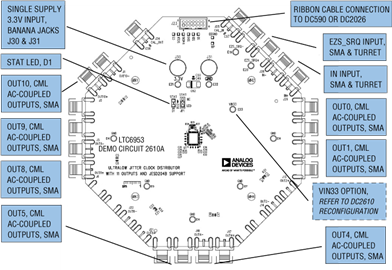
By default, the DC2610A is powered from a single 3.3V supply. An option is provided to power to the DC2610A from dual supplies, allowing for the LTC6953’s output supply pins to connect to an LTC Silent Switcher® and the LTC6953 input supply pin to connect to a low noise LDO.
All differential inputs and seven of the differential outputs are populated with 0.5” spaced SMA connectors. These outputs are AC-coupled with 50Ω transmission lines making them suitable to drive 50Ω impedance instruments. The remaining four differential outputs are terminated with 100Ω.
The LTC6953’s EZSync™ and SYSREF request functions are made available via the LTC6953 SPI interface or the EZS_SRQ SMA/turret connectors. The DC2609A, DC2610A, and DC2611A SMA placement was designed for ease of connection for all multi-part synchronization and SYSREF request modes.
A calibration path is provided to aid in accurate LTC6953 propagation delay measurements.
A DC2026 USB serial controller board is used for SPI communication with the LTC6953, controlled by the supplied LTC6952Wizard™ software.
Applicable Parts
Documentation & Resources
-
LTC6952 Wizard1/10/2019ZIP6M
-
DC2610A Schematics1/28/2019PDF67 K
-
DC2610A Demo Manual (Rev. 0)12/18/2018PDF795 K
-
DC2610A ACE Software User Guide12/1/2018WIKI
-
DC2610A Design Files1/28/2019ZIP5 M